Showing posts with label Productivity. Show all posts

Business Calendar 2 Pro v2.11.1 APK

0 comments


Business Calendar 2 is the successor of our award-winning calendar app!


Business Calendar 2 Pro com.appgenix.bizcal
Feature Overview:
▪ event planner and task management
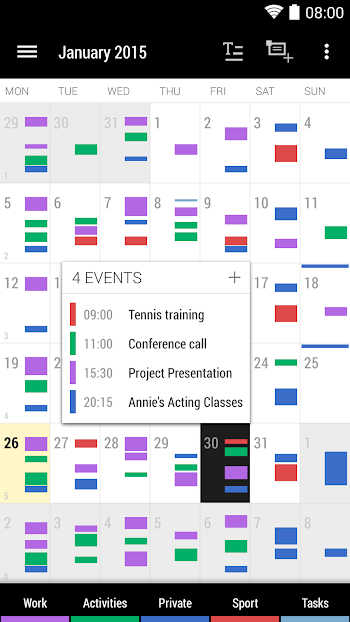
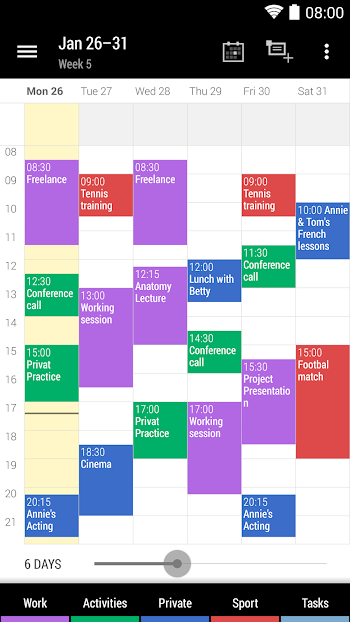
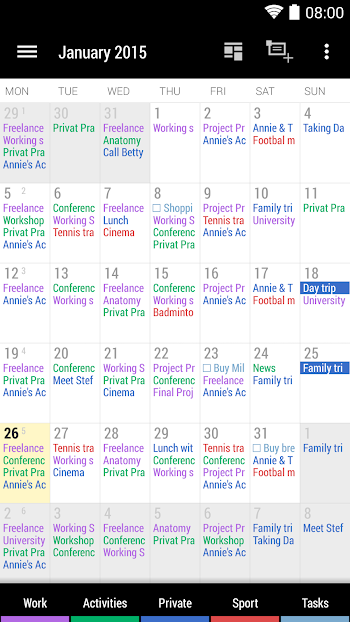
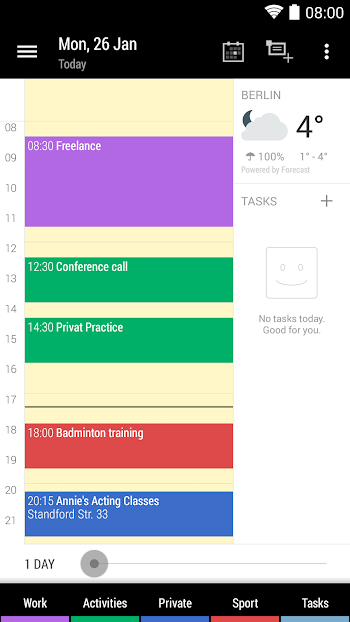
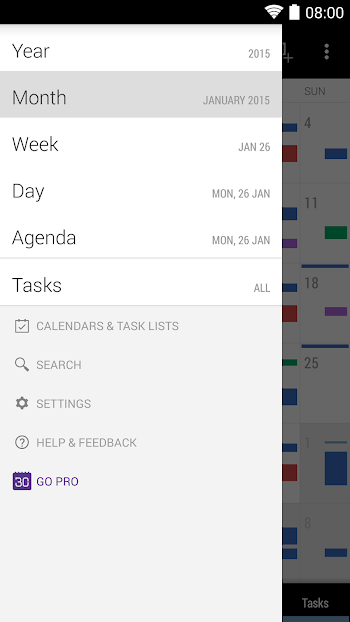
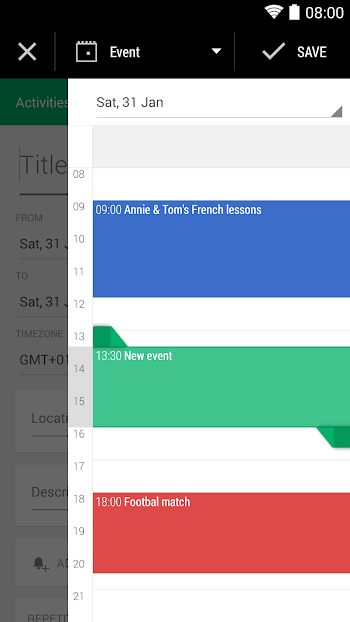
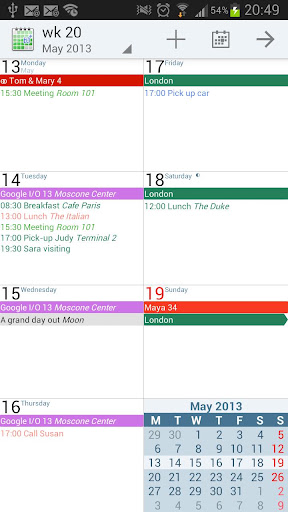
▪ month, week and day view
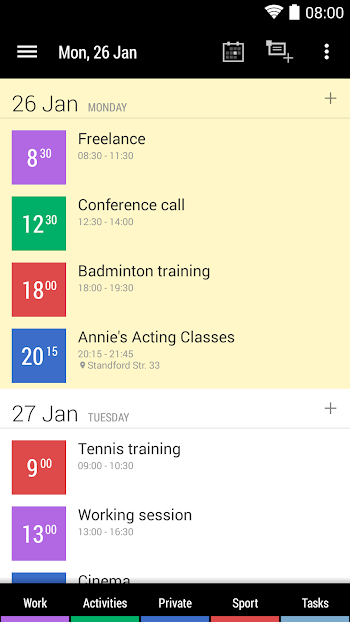
▪ agenda with live search
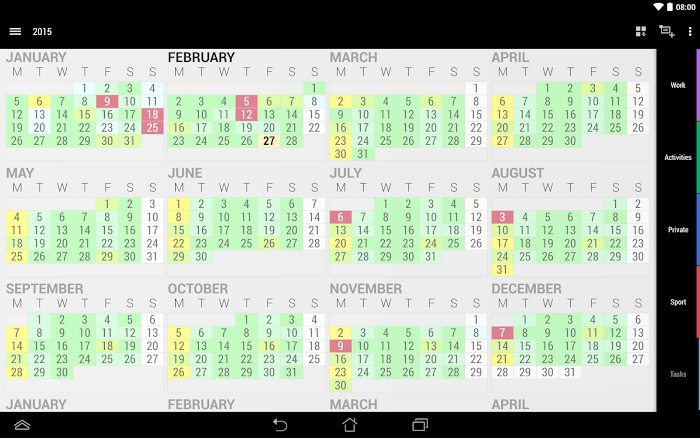
▪ year view
▪ uses Android calendar sync which allows synchronization e.g. with Google Calendar and Exchange
▪ support for local calendars and tasks
▪ advanced event reminders
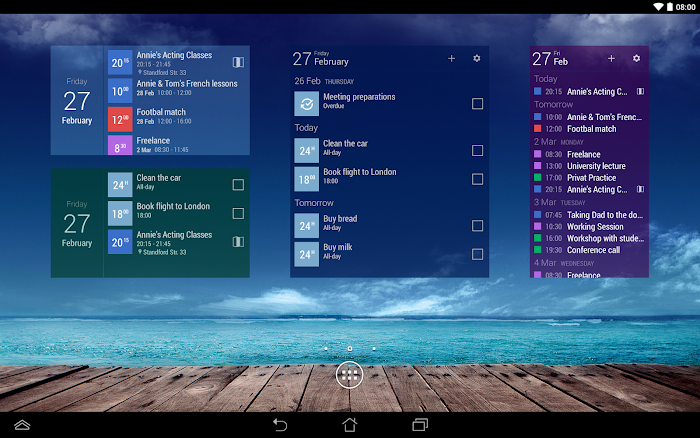
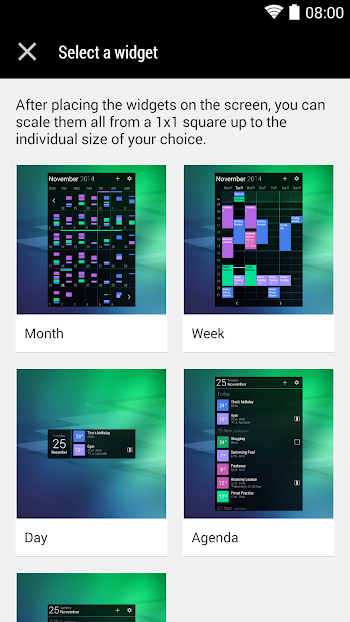
▪ month, week, day, agenda and tasks widget

Details:
▪ intuitive navigation with simple swipes between month, week and day
▪ choose between text and bars in month view
▪ quick glance on the event details in the popup directly from month view
▪ freely scroll- and zoomable multi-day view (1-14 days)
▪ quickly show and hide calendars with the favorite bar
▪ integrated task organizer which syncs with Google Tasks
▪ customizable notifications with direct actions (e.g. snooze reminder, show map, write email to attendees)
▪ create meeting invites and handle meeting invitations easily
▪ heat map in year view (e.g. to find free days)
▪ optional ongoing notification with event countdown
▪ share your events and tasks
▪ flexible recurrences
▪ no ads

Customization:
▪ customizable calendar and event colors
▪ lots of settings to optimize the appearance and functionality of your widgets, events, tasks and reminders
▪ adapt different views (day, week, month, year, agenda, tasks) to your personal needs
▪ use pre-set widget themes or customize your widgets down to the very last detail.
▪ live preview for all calendar widgets

Get Help:
▪ build-in help system
▪ quickly search our knowledge base if any questions arise

Business Calendar 2 is free and offers you a lot of features in its basic version. Additionally, you can get even more user-friendly features by upgrading directly from within the app. Users of the old Business Calendar Pro can access the pro features of Business Calendar 2 for free as long as the old app is installed.

Additional Pro Features:
▪ integrated weather report in day view
▪ easily move and copy events using drag&drop in multi-day view
▪ event history, title & location auto-completion
▪ link contacts to your appointments
▪ easily create templates for new events
▪ delete, move or copy multiple events at once using multi-selection
▪ advanced options for appointment reminders (e.g. repeating alarms and individual ringtones for different calendars)
▪ extended task features (e.g repeated tasks, subtasks and priorities)
▪ automatically create a to-do for missed calls
▪ light and dark theme
▪ import and export calendar data (.ics, .ical)
▪ more widget themes / advanced customization options for calendar widgets
▪ individually configurable font sizes

Business Calendar is developed by a small, dedicated team in Berlin. We’re completely self-sustained to ensure stable and steady development cycles for you. Please consider supporting us by upgrading our calendar app and get more professional features right from within the app.

What's in this version : (Updated : Mar 4, 2016)
  • 20 beautiful themes for the app (pro)
  • customize themes with your own colors (pro)
  • set background color for next / previous month
  • bug fixes
Required Android O/S : 4.0+

Screenshots :
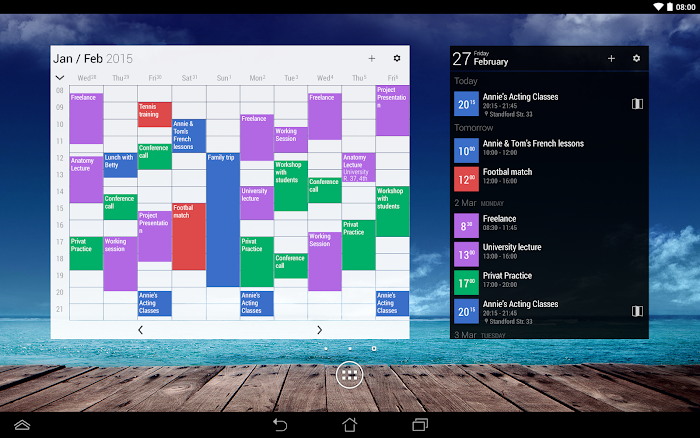
   Business Calendar 2- screenshot     Business Calendar 2- screenshot
   Business Calendar 2- screenshot
   Business Calendar 2- screenshot     Business Calendar 2- screenshot
   Business Calendar 2- screenshot     Business Calendar 2- screenshot     Business Calendar 2- screenshot     Business Calendar 2- screenshot     Business Calendar 2- screenshot     Business Calendar 2- screenshot

Download : 8M APK

Read More »

Notific Pro v5.0.5 APK

0 comments

Notific is lockscreen notification app that displays your notification in an intuitive manner when you need it!


Notific play.google.com.notifypro
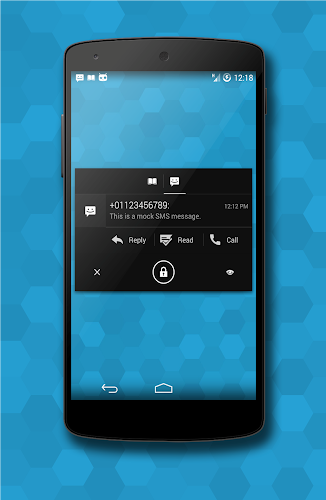
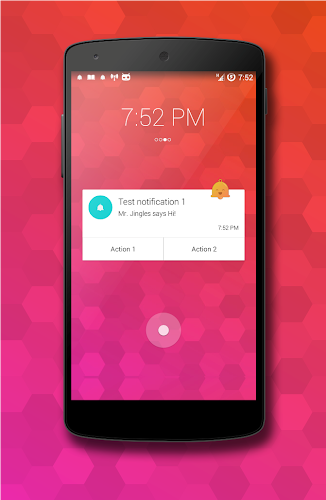
It will automatically turn the screen on and display your notification in an easily accessible tabbed dialogue. It will also show notification quick action buttons if expansion is enabled.

If the phone is in pocket, don't worry. Notific is intelligent enough to understand that and will not turn on the screen. But if you take out the phone from your pocket within 10secs (customizable) it will turn on the screen for you.

Version 2.0 comes with a new Android Wear inspired theme (4.4+), in case you don't like the dark HOLO style.

Notific doesn't impact battery life as it will only use the proximity sensor for 10 secs.
The memory usage is highly optimized (2-10MB) and doesn't use 50MB+ as in other notification apps.

The multitude of notifications we get every day are probably the most sensitive information for some and these deserve the utmost privacy.
That's why Notific comes with absolutely no private data mining. No crash data, No Google analytics collection.
It doesn't require connecting to Internet, so you can be sure that there's no way your information goes out of your device.

The app is in active development and will get frequent updates and lots of features are in pipeline, including privacy mode and themes.

Proximity sensor values are calibrated for Nexus devices by default. If you have problems with the sensor on Galaxy or Xperia devices, try calibrating the sensor from app settings or TurnOff Pocket Mode

What's in this version : (Updated : Feb 25, 2016)
  • Bug fix for Dark theme on Android Kitkat 4.4
  • Bug fix for whatsapp reply for Ambient Dark theme.
  • Possible fix for Notific not working on some devices running Android 5.0 or above since v5.0.0 release.
  • Please reboot your device after update to v5.0.4
Required Android O/S : 2.0.1+

Screenshots :
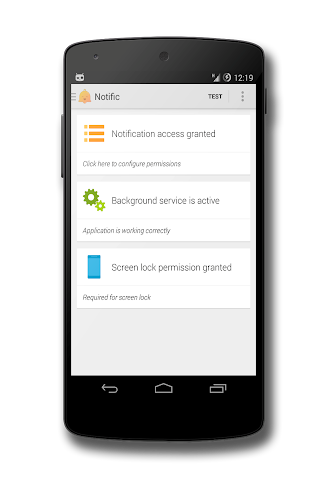
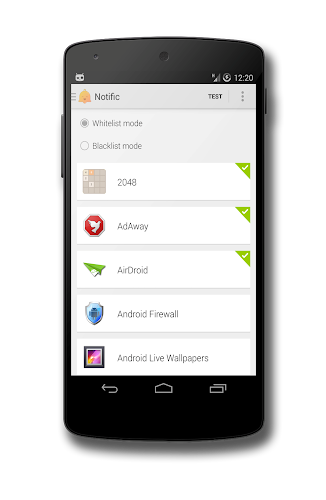
Notific - screenshotNotific - screenshot

Download : 1.4M APK

Read More »
Cleaner - Master Booster Pro v2.3.4 APK

0 comments

Cleaner Master Speed Booster Pro! is AD-FREE and proud of being "EXTREMELY EASY" Android Booster!


Cleaner - Speed Booster Pro play.goog le.com.cleaner.pro
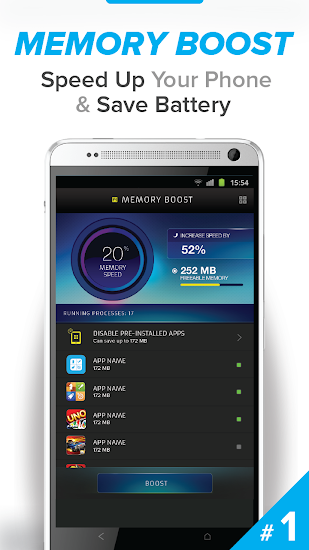
Master your battery saving skills & phone speed booster skills easily! This app has Memory Cleaner, Junk Cleaner, Game Speed booster, clean up search history, call & sms history, and easily manage preinstalled & installed apps! If properly used, this app can speed boost your phone go lot faster & save battery with one-touch buttons. This app is Extremely Easy.

7 in 1 Toolbox Mix App! – Memory Cleaner(i.e.App Killer/Task Killer), Cache Cleaner(i.e. Junk Cleaner), Game Speed Booster, Search History Cleaner, Call & SMS History Cleaner, Game Booster Widget, and App Uninstaller. 7 Features but it's still VERY EASY TO USE! Download this app/widget, become a master of Android Speed Booster!

FEATURES

★---1. Memory Cleaner (i.e.Task Killer)---★
✓ Cleans up Memory, Kills tasks with extremely simple one-touch "Optimize" button to save energy! Recommended to user memory cleaner every day at least once.
✓ Indicates memory clean level for before / after. Defend your phone from drain!

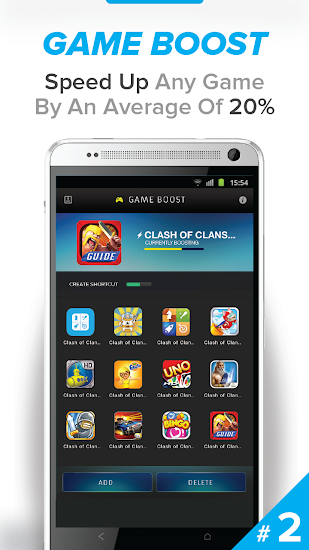
★---2. Game Speed Booster---★
✓ By allocating proper memory space to your game before launching, your Phone will be optimized for your any desired game!
✓ By Average, 20% Speed Increase in your Game!

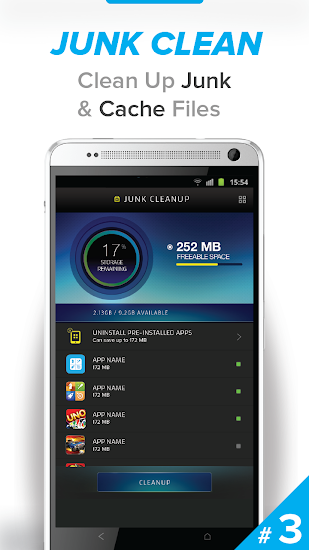
★---3. Cache Clean (i.e. Junk Cleaner) ---★
✓ Clean up your Cache Files for bettery Phone Performance & Disk Space!
✓ Easy one-touch ""Optimize"" button to Clean-up.

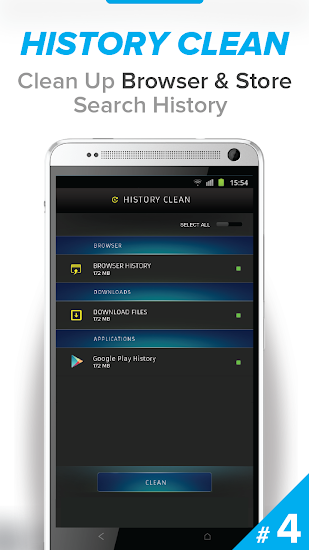
★---4. Search History Cleaner---★
✓ Clear your Google Play Store Search Hisotry & Browser history
✓ Downloaded files manager included as well to delete all files.

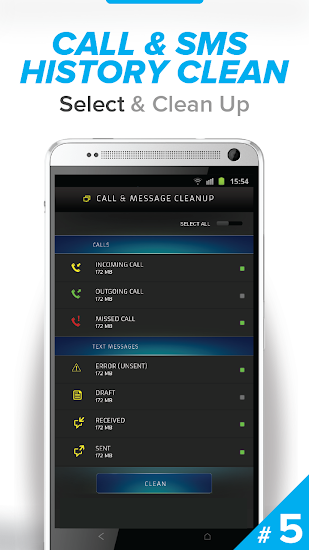
★---5. Call & SMS History Cleaner---★
✓ Clear any desired Call & SMS/Text History one by one
✓ By tapping ""Select All"", you can delete all Call & SMS/Text History in one-tap.

★---6. Game Booster Widget---★
✓ Access your Game Booster Function from Home screen Widget

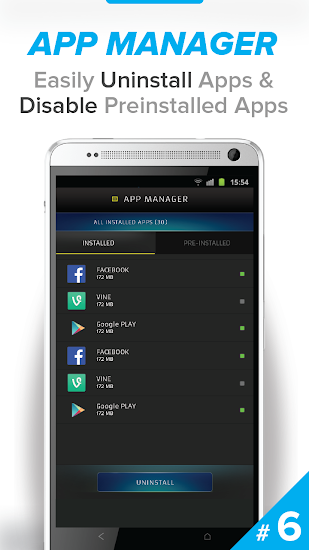
★---7. Application Uninstaller---★
✓ Application manager included - Manage your Pre-installed Apps as well.
✓ Batch disable & uninstall enabled.

Use Cleaner Master Speed Booster Pro!’s memory cleaner feature and speed booster feature to save your Android Battery and feel the difference in your Android Speed!

What's new in this version : (Updated : Feb 24, 2016)
  • Minor UI Fix, Bug Fix
Required Android O/S : 2.3.3+

Screenshots :
Cleaner - Speed Booster Pro - screenshotCleaner - Speed Booster Pro - screenshot
Cleaner - Speed Booster Pro - screenshotCleaner - Speed Booster Pro - screenshotCleaner - Speed Booster Pro - screenshotCleaner - Speed Booster Pro - screenshot

Download : 8Mb APK

Read More »
aCalendar+ Calendar & Tasks v1.7.0 APK

0 comments

aCalendar+ is still BETA software - please try the free aCalendar version first !


aCalendar+ Android Calendarβ play.google.com.acalendarplus
aCalendar+ is still BETA software - please try the free aCalendar version first!
There are not that many additional features ready yet, but buying aCalendar+ supports development, especially as I can buy some more Android devices for testing.

EXTRA FEATURES (aCalendar+ only)
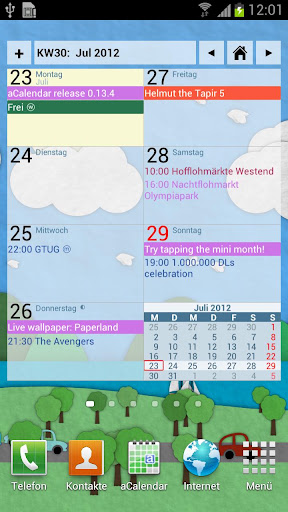
  • Month widget
  • NFC sharing (if supported by the device)
  • Privacy and availibility settings
Features:
  • intuitive navigation with smooth transitions
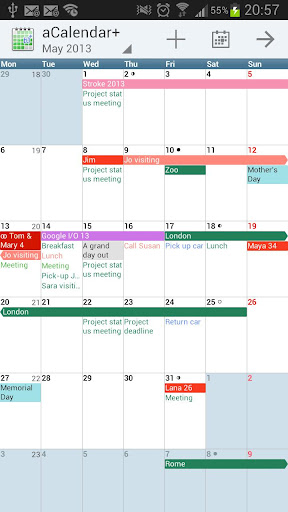
  • day, week & month calendar
  • Fullscreen widgets
  • flexible recurrences
  • birthdays & anniversaries with photos from your addressbook and editing
  • uses Android's native calendar backend and synchronization
  • no battery drain
  • moon phases and zodiac signs for birthdays
  • QR barcode sharing of events
  • 12/24h clock honoring system settings
  • optimized text display and improved line-break
PERMISSIONS
On top of the basic calendar and contact permissions also necessary for the free version, aCalendar+ also asks for Internet and NFC. Internet will be used in the future for Google Tasks and potentially other services. aCalendar+ respects your privacy and will NEVER send any of your private data anywhere unless configured by YOU. 'Send Email to guests' is bound to 'write calendar data' by Google.

TRANSLATIONS
aCalendar+ is translated into over 20 languages - please let me know if there is a bad translation somewhere.

LOVE
♥ If you like aCalendar+, you can show your support by rating 5-stars and recommending it to your friends

ROADMAP (Planned features)
  • more calendar widgets
  • agenda view and widget
  • Google Tasks integration
  • more calendar import/export options
  • Color-coded categories (requires Android 4.0.3+)
  • alternative calendar system support (Bahá'í, Chinese, Ethiopian, Hebrew, Indian, Iranian/Persian, Islamic/Hijri, Thai, Zoroastrian)
What's in this version : (Updated : Feb 24, 2016)
  • Restructured settings
  • Mini-Week-Overview is now configurable in settings (to toggle with mini-month simply tap on it)
  • NEW widget (still beta, Andorid 4.4+) - contact us if you have problems
  • More widget settings
  • Bugfixes
Required Android O/S : 2.1+

Screenshots :
 
 
Download : 2.6M APK

Read More »
Floating Apps (multitasking) v3.6.6 APK

0 comments

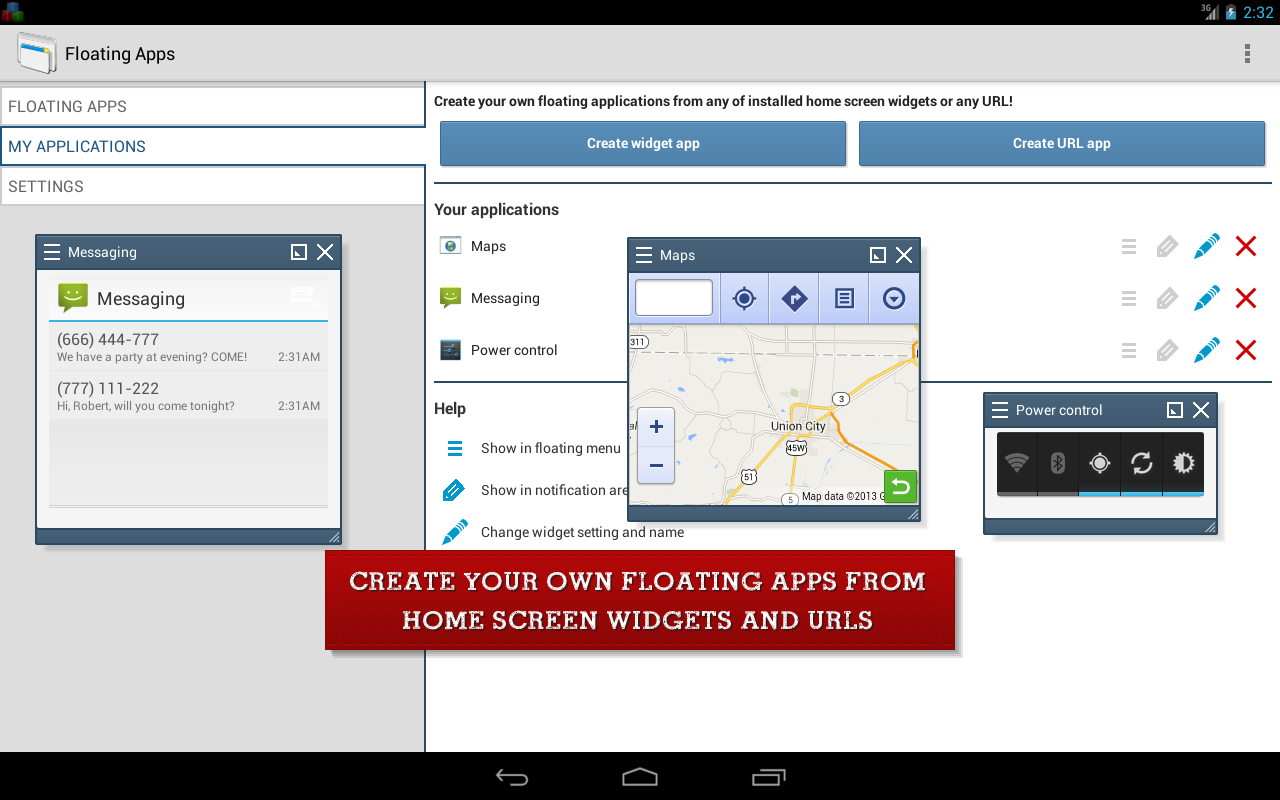
The largest collection (31) of floating apps available on Google Play and only one allowing you to create your own floating apps from widgets and URLs!


Floating Apps (multitasking)play.google.com.flappsfull
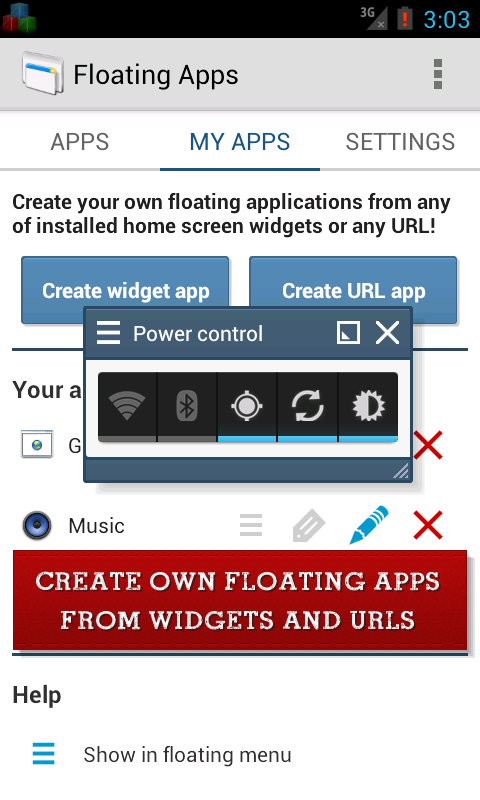
You can create your own floating apps from home screen widgets or any URLs now!

Please do not rate us bad because you miss some floating app. We have to stick with Android limitations and cannot simply create any floating app. For example, Whatsapp is not providing API, so it is very hard with them.


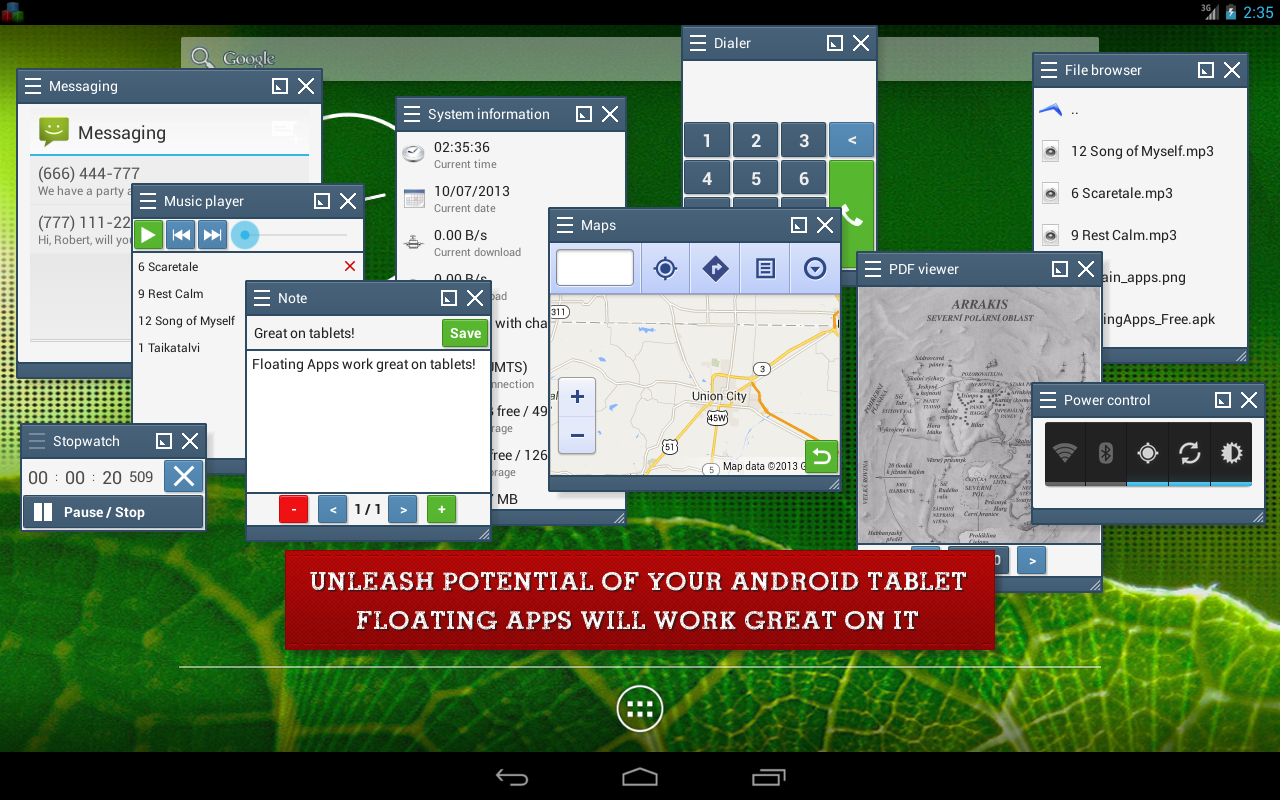
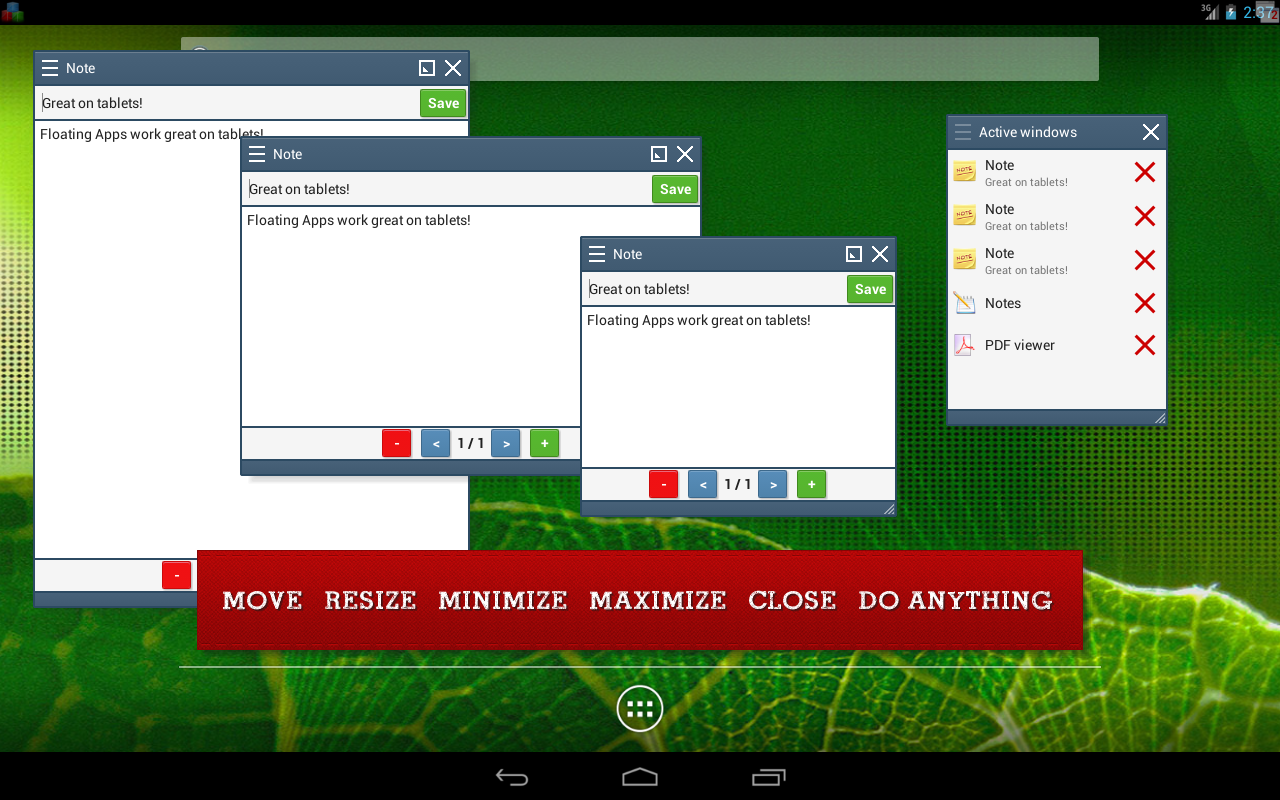
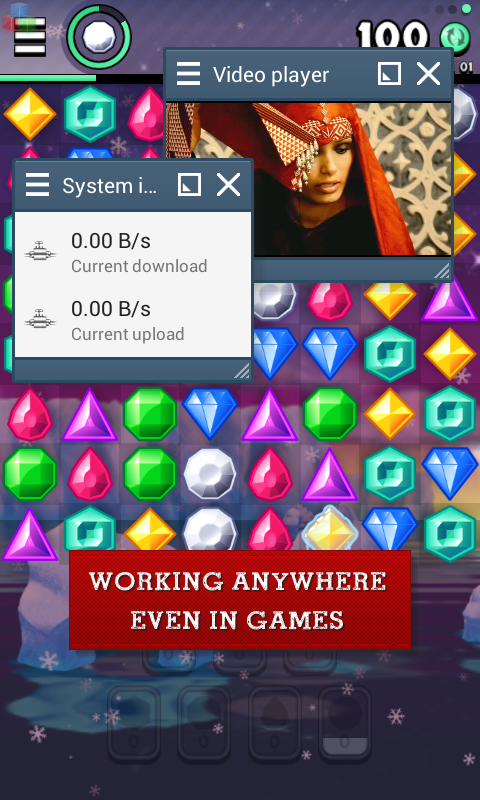
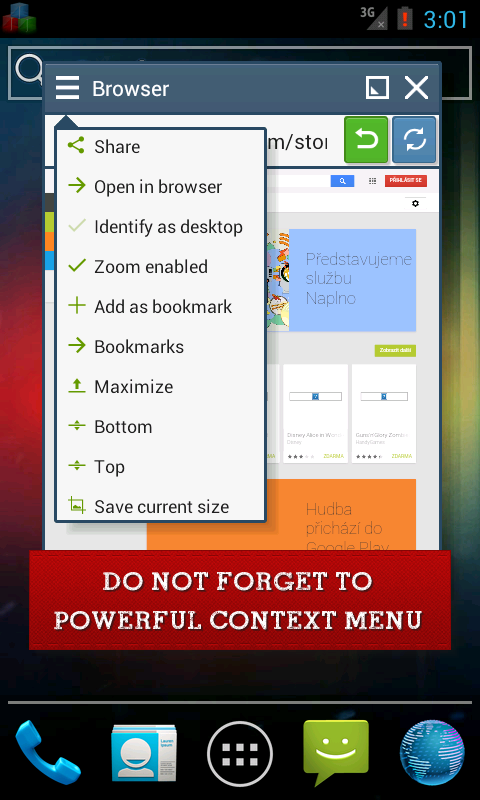
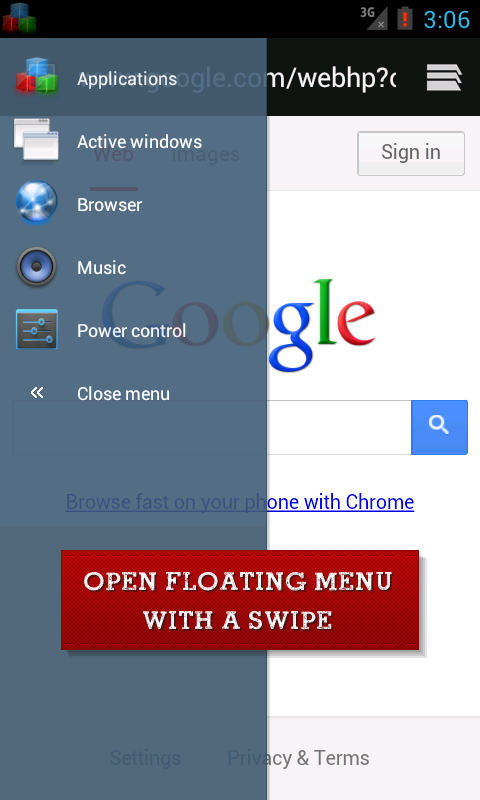
Floating Apps - The largest collection (31) of floating apps available on Google Play and only one allowing you to create your own floating apps from widgets and URLs! Each floating app is a small application that opens in a window and floats over all other applications allowing real multitasking on your android phone or tablet. Just open floating app and experience multitasking like on your Windows or Mac. Move, resize, maximize, minimize and use floating windows and do not leave current application for a small task anymore – it's exactly what the floating app is here for! It's like multiviews / multi windows on Samsung phones but for any Android!

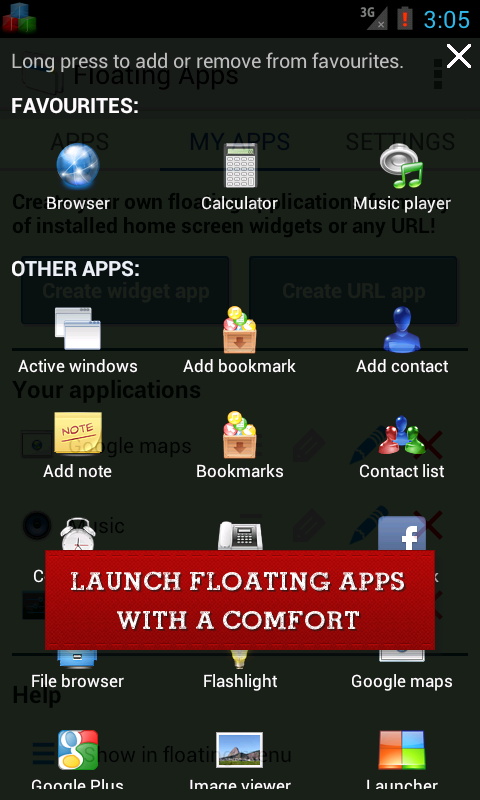
Available floating apps:
• Floating Applications
• Floating Active windows
• Floating Add bookmark
• Floating Add contact
• Floating Add note
• Floating Bookmarks
• Floating Browser
• Floating Calculator
• Floating Contact list
• Floating Countdown
• Floating Dialer
• Floating Facebook
• Floating File browser
• Floating Flashlight
• Floating Google plus
• Floating Image viewer
• Floating Launcher
• Floating Music player (NEW)
• Floating Notes
• Floating PDF viewer (NEW)
• Floating Search Google
• Floating Search Wikipedia
• Floating Stopwatch
• Floating System information (NEW)
• Floating Task Killer
• Floating Translate
• Floating Twitter
• Floating Video player
• Floating Vimeo (NEW)
• Floating Wifi manager
• Floating Youtube (NEW)
• Or create your own floating apps from home screen widgets or URLs!
...and more to come soon... visit http://www.floatingapps.net for details...

Supported languages: EN, CZ
Warning 
Please uninstall Floating Apps FREE if you are going to install full version.

What's in this version : (Updated : Feb 25, 2016)
  • Paint is now available in FREE version!
  • Many improvements of browser
  • Improvements of other apps
Required Android O/S : 2.3+

Screenshots :
Floating Apps (multitasking) - screenshot
Floating Apps (400titasking) - screenshot
Floating Apps (400titasking) - screenshotFloating Apps (400titasking) - screenshot
Floating Apps (400titasking) - screenshotFloating Apps (multitasking) - screenshot
Floating Apps (400titasking) - screenshotFloating Apps (400titasking) - screenshot

Download : 2M APK

Read More »